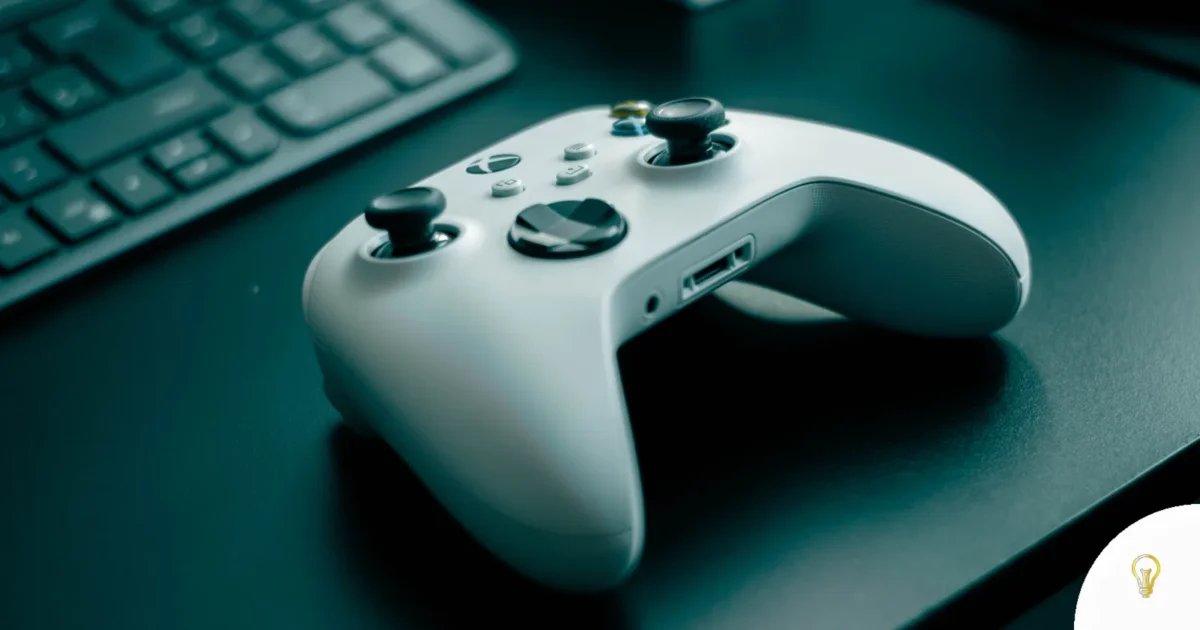
Nacon has announced the Revolution Pro X – Special Edition, an officially licensed Xbox controller inspired by Hell Is Us, and it went on sale for $129.90. You can now twist a ring around each stick to change how much resistance it gives you, so the same pad suits a twitchy shooter and a slow, careful aim later in the evening. It costs far less than the brand’s flagship controller while keeping the features competitive players ask for.
In Short
- Adjustable joystick tension: turn the control ring with one gesture to favour fast movements or precise aiming, using Hall Effect sensors and micro-switch buttons.
- A full-featured pad for less: it launched at $129.90 / £109.99 / €129.99, well under the $199.99 / £199.99 Revolution X Unlimited.
- It plays on Xbox Series X, Xbox Series S, Xbox One, PC and Smart TVs, and right now it seems to be sold only on Nacon’s own website.
What Nacon Changes for You
Nacon announced the Revolution Pro X – Special Edition, a wireless, officially licensed Xbox controller built for competitive play. According to TechRadar, the design borrows from Rogue Factor’s action-adventure game Hell Is Us, which Nacon published. The feature that matters most is the control ring around the sticks: Nacon says it lets you adjust the mechanical tension with a single gesture, so you can prioritise fast movement or precise aim depending on the situation. It also uses Hall Effect sensors and micro-switch buttons.
It is available now at £109.99 / $129.90 / €129.99, per TechRadar. GamesRadar+ reports a slightly different US figure of $109.99 alongside £109.99, so check the number on the page before you pay. The same outlet notes it seems to be sold only through Nacon’s own website at the moment, and there is no word yet on a wider retailer launch.
Hint 1: Set Stick Tension for the Game, Not the Pad
The control ring around each joystick changes the mechanical tension with a single gesture, and that is the single most useful thing on this controller. Loose tension makes flick turns and quick strafes feel light, while tighter tension steadies the small corrections you make when you line up a shot. Instead of owning one pad that feels right for one genre, you get a pad you can bend towards the game in front of you. Nacon says the point is to let every player tailor their controls to their own playing style.
Say you spend an evening on a fast first-person shooter and then switch to a slower action game before bed. A quick twist before each session means the sticks match the pace you are about to play at, without you buying a second controller.
- Find the ring around the base of one stick and turn it a little, testing the feel with your thumb as you go.
- Set one stick loose and the other tight to see which you notice more before you commit to a setting.
- Change the tension in the menu, not mid-match, so you do not lose a fight to a stick that suddenly feels foreign.
Hint 2: Keep Aiming Straight With Hall Effect Sticks
The Revolution Pro X – Special Edition uses Hall Effect sensors in its thumbsticks. Hall Effect sticks read movement magnetically rather than through parts that physically rub together, which is why players seek them out for long sessions and heavy use. In practice, that is the difference between sticks that quietly stop returning to centre after months of play and sticks that keep the same feel. For a controller that sits closer to the mid-range price, it is the feature that quietly protects your money.
For example, if you play the same shooter most nights for a year, drifting sticks are what usually send you shopping for a replacement. Hall Effect sensors are aimed at exactly that kind of wear, so the pad stays predictable for longer.
- Check the product page lists Hall Effect thumbsticks before you order, since cheaper pads in this price bracket often skip the feature.
- Test for drift by leaving the sticks alone in a game menu and watching whether your aim or camera creeps.
- Keep the sticks clean and free of dust, because grit in the mechanism is a separate problem from sensor wear.
Hint 3: Program Two Rear Buttons and Keep Your Thumbs Down
The pad has two programmable rear buttons, and those are the simplest speed gain you can give yourself. Mapping an action you would normally reach for with your right thumb means the thumb never leaves the aiming stick. In games where reloading or jumping decides a fight, that is a small change that shows up immediately. Nacon pairs them with four vibration motors, so feedback still reaches you while your fingers stay where they need to be.
Say you play a shooter where reloading usually means stopping your aim for a moment. Put reload on a rear button and your thumb stays on the stick through the whole exchange.
- Pick the two actions you use most in the game you play, and leave the rest on the face buttons.
- Assign one rear button to an action your thumbs would normally leave the stick for, like reloading or jumping.
- Spend a practice round with the new mapping before you take it online, because old habits fight back for a while.
Tune One Thing at a Time
Change either the stick tension or the rear buttons first, play a few matches, and only then adjust the other. Doing both at once makes it impossible to tell which change actually improved your aim.
Hint 4: Get a 1,000 Hz Wired Mode on PC
Connect the Revolution Pro X – Special Edition to a PC and you get a wired mode with a 1,000 Hz polling rate, with Nacon claiming latency of 1 ms. A higher polling rate means the game hears your inputs far more often, which is what those milliseconds of difference feel like in fast-paced games such as first-person shooters. The braided USB-C cable in the box is 3 m long and detaches, so a desk setup does not need a controller parked right against the tower. It is the option to reach for when a match matters more than tidiness.
For example, if your desk setup has your monitor at one end and the PC case on the floor, a 3 m cable reaches without a hub. Plug in for ranked matches, unplug for the couch.
- Plug the detachable braided USB-C cable into your PC for the wired mode, then check the controller’s settings for a polling rate option.
- Use wired play for competitive matches and switch to the 2.4 GHz dongle for casual sessions across the room.
- Make sure the cable is fully seated at both ends before blaming latency, since a loose connection feels like lag.
Hint 5: Play Wirelessly Across Your Xbox, PC and TV
The controller ships with a 2.4 GHz wireless dongle, so you are not tied to a cable in the living room. It is officially licensed for Xbox and works across Xbox Series X, Xbox Series S, Xbox One, PC and Smart TVs, according to TechRadar. One pad can move between the console under the TV and a PC in another room, which saves you from keeping two controllers charged and paired. Add the charging stand and the pad is ready whenever you pick it up off the desk.
Say you play on an Xbox Series X in the evening and on a PC at your desk during the day. Pair each device once and you can carry the same controller between them instead of learning the feel of two different pads.
- Pair the pad using the 2.4 GHz dongle on the device you play most, and keep the dongle in a fixed port so pairing survives a restart.
- Test the wireless connection on the couch before a long session to check the range in your room.
- Put the controller on the charging stand after each session so it is full when you next pick it up.
Hint 6: Save by Choosing the Pro X Over the Flagship
The biggest saving here is simply the price gap. GamesRadar+ reports the flagship Revolution X Unlimited costs $199.99 / £199.99, while the new Revolution Pro X launched at $109.99 / £109.99 on that outlet’s figures. That is a serious step down from the $200 tier a lot of Xbox controllers sit in, and GamesRadar+ argues the light-actuating, clicky micro-switch buttons alone justify the price. If you were waiting for the top model to drop, this is the version to buy instead.
For example, if you have been putting off a controller upgrade because everything competitive costs around $200, this one lands well below that while still offering wireless play, a charging stand and two back buttons.
- Compare the two models on Nacon’s site before ordering so you know exactly which pad you are buying.
- Check the store page price against TechRadar’s $129.90 and GamesRadar’s $109.99, and pay attention to which currency your region shows.
- Decide whether you need the flagship’s extras at all, since the Pro X covers wireless play, rear buttons and adjustable tension.
Before vs After: What Gets Easier
Here is how everyday controller choices change with the Revolution Pro X – Special Edition on your shelf.
| Task | Before | Now |
|---|---|---|
| Matching the sticks to a game | One fixed tension for every genre | The control ring changes tension with a single gesture |
| Buying a competitive Xbox pad | Flirting with the $200 tier | It launched at $129.90, $109.99 or £109.99 depending on the outlet and region |
| Reaching for a cable on PC | Wireless only, or a short cable | A wired mode with a 1,000 Hz polling rate and a 3 m detachable braided USB-C cable |
| Keeping a thumb on the stick | Stretching to face buttons mid-fight | Two programmable rear buttons keep actions under your other fingers |
What to Watch Out For
A couple of practical points are worth checking before you order. The outlet prices do not fully agree: TechRadar lists £109.99 / $129.90 / €129.99, while GamesRadar+ quotes $109.99 / £109.99, so confirm the figure on the page at checkout. GamesRadar+ also notes that right now the controller seems to be available only at Nacon’s own website, and Nacon has not said when or whether other retailers will stock it. GamesRadar+ points out there are no TMR sticks here, and the control ring feature has appeared on other pads before, so Nacon’s claim to be first on wireless Xbox controllers has been disputed.
Watch the Naming
The Revolution Pro X replaces an older Nacon Xbox controller called the Revolution X Pro, and the two names are easy to swap. Check the box says Pro X before you pay, and check the listed price in your own currency.
Your Next Steps
- Visit Nacon’s own website, since GamesRadar+ says the controller appears to be sold there only, and check the price in your currency.
- Confirm the box says Revolution Pro X and not the older Revolution X Pro before you order.
- Plan your first setup around one change: a stick tension setting or a pair of rear button mappings, then adjust the other once you have played a few matches.
- Watch for Nacon to confirm wider retailer availability and any non-Hell Is Us colourway, since the Special Edition label leaves that open.
Related on Gets Hint: our latest gaming coverage, GTA 6 Release Date, Platforms & PC: Everything to Know.
Sources: techradar.com; GamesRadar+.
FAQ: Nacon Revolution Pro X
Frequently Asked Questions
TechRadar lists it at £109.99 / $129.90 / €129.99, while GamesRadar+ quotes $109.99 / £109.99. Check the price shown on Nacon’s own website in your currency before you order.
Yes. It is an officially licensed Xbox controller that works on Xbox Series X, Xbox Series S, Xbox One, PC and Smart TVs. On PC you can also use a wired mode with a 1,000 Hz polling rate.
Yes. Nacon says the control ring lets you adjust the mechanical tension of the joysticks with a single gesture, so you can prioritise fast movements or precise aiming depending on the situation.
GamesRadar+ says the Revolution X Unlimited costs $199.99 / £199.99, while the Pro X launched at $109.99 / £109.99 on the same outlet’s figures. The Pro X still offers wireless play, a charging stand and two back buttons.
Right now it seems to be available only at Nacon’s own website, according to GamesRadar+. Nacon has not announced when other retailers will stock it.