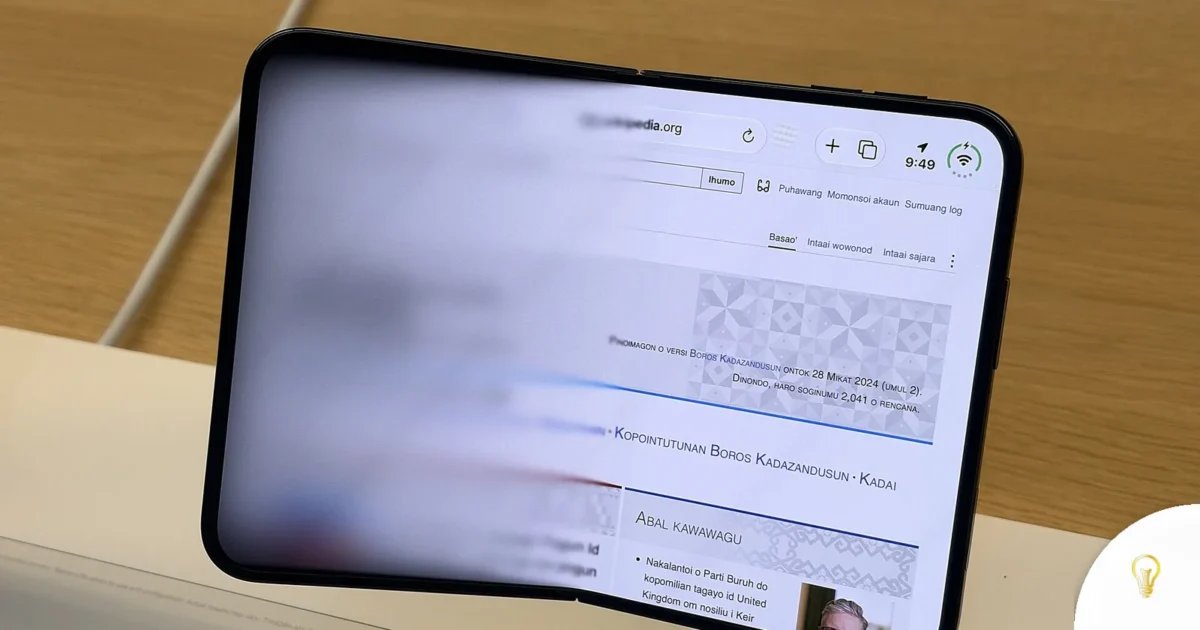
Apple added iPhone Duo face unlock in the iOS 27.3 developer beta, so you can open the phone by looking at the front camera when it is closed. You gained an extra way past the lock screen, plus a setting that locks the phone the moment you fold it. Both are worth three minutes in Settings today.
In Short
- You can unlock the iPhone Duo by looking at the outer screen, which Apple says you enable in Settings, under Touch ID & Passcode.
- A second new option locks the iPhone Duo when you fold it, so you are not leaving an open session behind every time the phone goes in your pocket.
- The features are in the iOS 27.3 developer beta and should reach public beta testers soon, with a public launch set for December.
What iPhone Duo Changes for You
The iOS 27.3 developer beta, released on November 16, 2026, gives the iPhone Duo two new settings. The first unlocks the phone with the front camera on the outer display when the phone is closed. The second locks the phone as soon as you fold it, a behaviour that many owners had been faking with a shortcut. Apple does not describe the face feature as Face ID, because the Duo has no TrueDepth hardware.
Right now the features are only in the developer beta of iOS 27.3, and Apple says public beta testers get it soon. The release is scheduled to reach everyone in December. Apple has not announced a price for the update, and nothing suggests it will cost anything.
Hint 1: Get Past the Lock Screen With a Glance
The point of iPhone Duo face unlock is speed when the phone is shut. You hold it up, the front camera on the outer screen recognises you and the phone opens, which is far less fiddly than reaching for the sensor with one hand while you carry a coffee. Because it runs on the camera you already have, it costs nothing extra and needs no new hardware.
For example, you are on a busy platform checking which coach you are in. Instead of balancing the folded phone and pressing the sensor, you glance at the screen and it opens, and you are scrolling the ticket before the train stops.
- Update to iOS 27.3, then open Settings and go to Touch ID & Passcode.
- Turn on the face recognition option and test it while the phone is folded, since it is meant for the closed state.
- Hold the phone roughly at eye level when you glance at it. The front camera needs a clear, straight view of your face to recognise it quickly.
Hint 2: Keep the 45 Minute Rule From Catching You
Face unlock on the iPhone Duo only stands on its own for a short window. If you go 45 minutes without unlocking the phone, the face option stops working until you use Touch ID or type your passcode again. Knowing that turns a mystery failure into a routine: a quick sensor tap every so often keeps the glance-and-open habit alive all day.
Say you leave the phone in a bag through a two hour film or a long lunch. When you pick it up, look for the passcode prompt first rather than staring at the camera, because the face option has timed out and no amount of looking will change that.
- Pick a passcode you can enter quickly with one hand, since you will need it more often than you expect.
- After any long break, unlock once with Touch ID or your passcode to restart the face option.
- Do not assume the feature has broken if it ignores you after a quiet afternoon. Check the time since your last unlock before you change any settings.
Hint 3: Lock the Phone the Moment You Fold It
iOS 27.3 also adds a setting that locks the iPhone Duo when you close it, instead of handing the session from the inner screen to the outer one. That is the difference between your messages sitting on the cover screen in a pocket and nobody seeing them at all. It takes one switch, and it removes a whole class of accidental taps and over the shoulder reading.
Picture this: you finish a message, snap the phone shut and drop it into a jacket pocket next to your keys. With the setting on, the phone is locked before it lands, so a bumped screen cannot reply to anyone or open a banking app.
- Open Settings and go to Display & Brightness, where Apple says the lock on close option lives.
- Turn the option on, then fold the phone and check the cover screen to confirm it shows the lock screen.
- Try it for a day before you rely on it. If you often glance at a widget on the closed phone, you will now have to unlock first.
Turn On Both Settings Together
Enable face unlock and lock on close in the same sitting. The pair means the phone shuts itself when folded and then opens with a look, so you get the privacy without the extra button press.
Hint 4: Keep Apple Pay and Passwords on Touch ID
Face unlock opens the lock screen and stops there. Apple Pay purchases, your saved passwords and unlocking individual apps still need Touch ID or your passcode, because the camera check is not as secure as Face ID. That sounds like a limitation, but it is useful to know before you stand at a till: you will still pay with a fingerprint, and your banking apps stay behind the stronger check.
If you are queueing at a coffee counter with the phone folded and unlocked by face, tapping to pay will still ask for the sensor. Keep your thumb ready rather than waving the phone at your face while the queue waits.
- Check that your Touch ID fingerprint is registered and that your finger placement is comfortable when the phone is closed.
- Try one small purchase with Touch ID after unlocking by face, so you know exactly what the payment prompt looks like.
- Do not expect face unlock to fill a password field or approve a login. Keep your passcode manager set up the way you like it.
Hint 5: Ask Siri About a Page You Cannot See
The same update lets you ask Siri about the content of a web page, including the parts you would have to scroll to find. On a folding phone that is a genuine time saver, because you can ask for the detail instead of hunting for it on a screen you are holding in one hand. Long articles, terms pages and recipes become questions rather than scrolling marathons.
For example, you open a train operator’s refund page and only want the deadline. Ask Siri where the cut off is and you get the answer without paging through the small print on a foldable screen.
- Open a long web page in the browser after updating to iOS 27.3.
- Ask a specific question about the page, such as a date, a price or a name, rather than a vague “what does this say”.
- Check the answer against the page before you act on it. Treat Siri as a shortcut to the paragraph, not as the final word.
Hint 6: Rely on Apps That Already Fit the Fold
Apple also said more than 200,000 apps are now optimised for the iPhone Duo, up from over 100,000 earlier in November. For you that means fewer apps that stretch awkwardly across the inner screen or waste the cover display. Before you settle into a routine with the phone, check the handful of apps you use every day and see which ones already look native on both screens.
Say you live in a notes app and a banking app on the big screen and a maps app on the outside. Open each one folded and unfolded in turn, and you will quickly see which fit and which still need the phone held a certain way.
- List the five apps you open most and try each one with the phone closed and then open.
- Note the ones that keep your place when you fold or unfold mid task, and put those on the cover screen.
- Check the apps you rely on before you blame the phone, since Apple says more of them are being optimised for the Duo over time.
Quick Reference: What You Can Do Now
Here is how the main iPhone Duo tasks work after you install iOS 27.3.
| Task | How to do it now | What you need |
|---|---|---|
| Unlock the phone with your face | Look at the outer screen, with the setting enabled under Touch ID & Passcode | iOS 27.3 and a Touch ID or passcode unlock within 45 minutes |
| Make the phone lock when you close it | Turn on the option in Settings under Display & Brightness | iOS 27.3 |
| Pay in a shop | Use Touch ID or your passcode, since face unlock does not cover Apple Pay | Touch ID enabled |
| Unlock the phone when it is open | Use Touch ID or your passcode, because face unlock works only on the closed phone | Not stated |
What to Watch Out For
Face unlock is not Face ID. Apple built it on the front camera because the thin, foldable body has no room for the TrueDepth sensor array that Face ID needs, and that hardware creates a 3D map of your face using over 30,000 infrared dots. A camera check relies on an image instead, which Android Central says makes it easier to fool with a 2D photo. The feature also only works on the lock screen, only when the phone is closed, and expires after 45 minutes without a Touch ID or passcode unlock.
Do Not Use It for Sensitive Apps
Before you lean on face unlock, confirm that your banking apps and password manager still ask for Touch ID or a passcode. They should, because Apple keeps those behind the stronger check, but it is worth seeing it yourself once.
Your Next Steps
- Open Settings, then Touch ID & Passcode, and switch on face recognition if you are running the beta.
- Turn on lock on close under Display & Brightness and fold the phone to confirm it works.
- Try the Siri page question on a long article and see whether the answers land where you expect.
- Watch for the public beta and then the December release of iOS 27.3, and for Face ID in the second generation iPhone Duo, which Bloomberg reports Apple wants to add.
Related on Gets Hint: Apple Intelligence in China: 6 Hints for iOS 27.3, more tech news.
FAQ: iPhone Duo Face Unlock
Frequently Asked Questions
Update the phone to iOS 27.3, open Settings and go to Touch ID & Passcode, then enable the face recognition option. After that, the front camera on the outer screen unlocks the phone when it is closed.
No. Face ID uses the TrueDepth sensor array with a dot projector that casts over 30,000 infrared dots to build a 3D map of your face, and the iPhone Duo does not have that hardware. The new face unlock uses the front camera instead, which is why Apple limits it to the lock screen.
No. Apple Pay purchases, passwords and unlocking apps still need Touch ID or your passcode. The face camera check only gets you past the lock screen on the closed phone.
The feature shipped in the iOS 27.3 developer beta released on November 16, 2026. Apple says public beta testers get it soon, and iOS 27.3 is set to launch publicly in December.
No. The face recognition option works with the front camera on the outer display, so it unlocks the phone when it is closed. When the phone is unfolded, you still unlock it with Touch ID or your passcode.