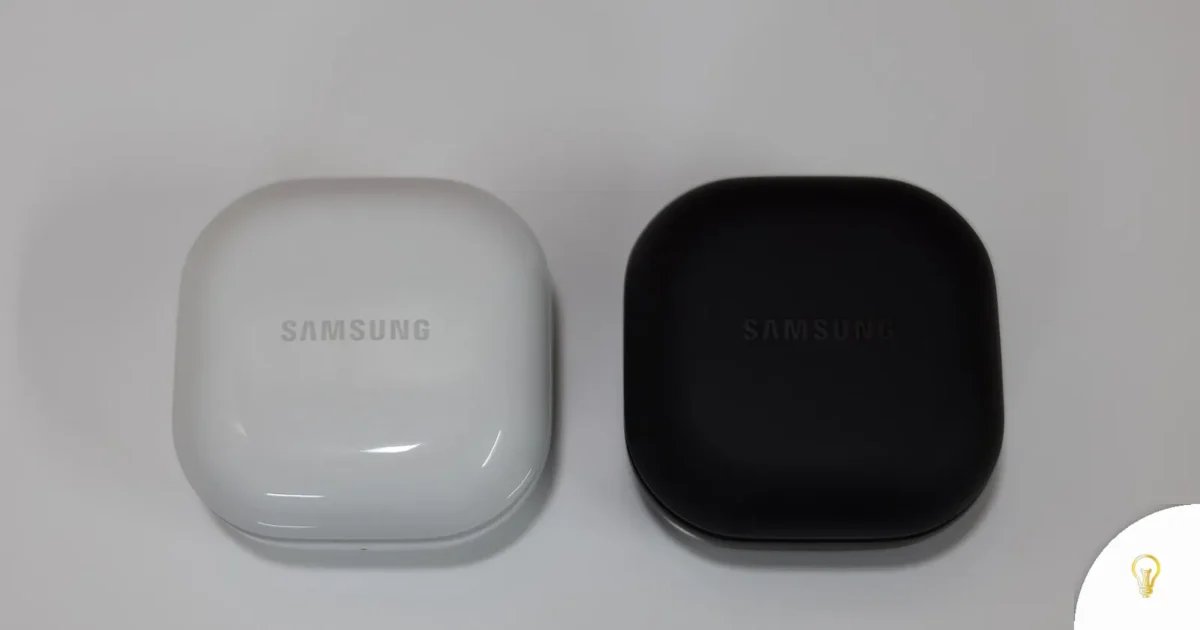
Samsung has confirmed that its clip-on Galaxy Buds On will cost $229 in the US and go on sale in early November, as 9to5Google reported on October 28, 2026. That means you can listen to a podcast on a busy street, in the office or on a run while still hearing traffic, colleagues and everything else around you. The real win is knowing which settings, sizes and habits make that open design work for you.
In Short
- Your ears stay open, so you hear music, podcasts and the street at the same time. Each bud weighs only 6.65 grams and clips around the ear instead of sitting in your ear canal.
- Samsung rates the battery at up to 9.5 hours on a single charge and up to 38 hours with the charging case, so a full workday fits in one charge.
- They cost $229 in the US and arrive in early November in black only. Pre-orders were already open on October 28, 2026, according to 9to5Google.
What Galaxy Buds Changes for You
Samsung’s first open-ear earbuds launched in Korea earlier in October 2026, and the company confirmed on October 28, 2026 that the US price is $229. They use a flexible band that wraps around the ear, with TwinBoost speakers, automatic volume adjustment and audio leakage reduction. Three microphones plus a voice pickup unit handle calls, and Samsung claims the buds even read jaw movement to separate your voice from surrounding noise.
US buyers can order the Galaxy Buds On for $229 with shipping in early November, though Samsung has not confirmed a specific release date. Australian and UK prices were not available on October 28, 2026, so readers there still need to wait for an announcement.
Hint 1: Hear Traffic and Still Enjoy Your Podcast
The open-ear design leaves your ear canal clear, so outside sound reaches you while your music plays. That makes the Galaxy Buds On a practical pick for runners, cyclists and commuters who need to hear a car, a bike bell or a colleague calling their name. You stop pausing your audio to stay safe, and you stop missing what is happening around you.
Say you run the same riverside route every morning and the path is shared with cyclists. With the buds clipped on, you hear a bike approach from behind long before it passes, and your playlist never has to stop.
- Clip one bud around each ear so the band sits behind the ear without pressing on the canal.
- Start at a lower volume than you would with in-ear buds, then raise it slowly until you can hear your audio and the room at the same time.
- Test the fit while walking, not sitting down, since a clip that feels fine at your desk can loosen when you move.
Hint 2: Keep Your Music Out of Everyone’s Ears
Open-ear buds often leak sound to the person next to you, and Samsung built in audio leakage reduction to limit that. The TwinBoost drivers project matching reverse sound waves from the back of the speaker to cancel out escaping audio. You get to listen at a normal level in a quiet train carriage without turning your podcast into a shared broadcast.
Picture a long train journey with a colleague beside you and other passengers in the row. You can keep your show running quietly and check by taking one bud off to hear how much sound is actually escaping.
- Sit at a normal listening volume in a quiet room and take a bud off to listen from a metre away.
- Lower the volume a notch if others can follow every word, since leakage grows with loudness.
- Treat the leakage claim as unconfirmed until testers share measurements, as TechRadar noted it could not confirm it before testing.
Hint 3: Make Calls Sound Clear From Noisy Streets
Samsung calls its call processing Intelligent Clear Call, and it relies on three microphones with a voice pickup unit plus machine learning. According to TechRadar, Samsung says the buds pick up your voice through the mics and even jaw movement, and they cancel recognised noises such as car horns and construction work. The payoff is simple: the person on the other end hears you instead of your street.
For example, you might take a call while walking past a building site on the way to lunch. The buds are designed to hold on to your voice while the machine learning handles the noise behind you.
- Wear the buds so the microphone side faces your mouth rather than the back of your jaw.
- Call someone from your usual street in the first week and ask them plainly whether they can hear the background.
- Turn on noise reduction for calls in the companion app if you make a lot of them outdoors.
Fit First, Features Second
Get the clip position right before you judge the sound, because open-ear audio depends far more on where the speaker sits than in-ear audio does. Samsung told TechRadar it used AI to analyse 119 million ear data points to tune the fit for the widest range of ears, so a small shift in angle can change everything.
Hint 4: Answer Calls With a Nod, Not a Screen
The Galaxy Buds On support head gestures, so you can nod to accept a call or shake your head to decline one, according to Android Central. Samsung also lists gesture support for dismissing alarms, according to 9to5Google. That matters when your hands are busy with shopping bags, a bike handlebar or a saucepan.
Say you are cooking and your hands are covered in flour when a delivery driver calls. A single nod answers the call and a shake sends it to voicemail without you touching your phone.
- Open the Galaxy Wearable app and look for the gesture controls, then switch head gestures on.
- Practise the nod and the shake while a friend calls you, so you learn how large the movement has to be.
- Keep the gestures for calls and alarms only, so a casual nod during a conversation does not change anything.
Hint 5: Catch Ideas With a Quick Voice Memo
Long-press an earbud and the Galaxy Buds On record a quick voice memo, according to Android Central. You can then search your recordings with Bixby by voice, which 9to5Google describes as hands-free searching. Instead of typing a note in a queue or patting your pockets for your phone, you catch the thought in two seconds and find it again later.
If you think of a birthday gift idea while washing up, a long-press on the bud saves it before it slips away. Weeks later you say the word out loud to Bixby and the memo comes back.
- Check in the Galaxy Wearable app which bud action is set to quick voice memo, then choose a long-press.
- Say a keyword at the start of each memo, such as the person or the project name, so searching later is easier.
- Do not count on this working away from your Galaxy phone or tablet, since recording and searching depend on the connected device.
Hint 6: Hand Off to Gemini Without Touching Your Phone
On compatible devices you can start Gemini Live with a voice command rather than opening the app, according to Android Central. For anyone who uses AI chats to plan a trip, fix a recipe or talk through a decision, that removes the phone-from-pocket step entirely. Your hands stay free and your eyes stay on the task instead of on a screen.
Picture yourself repainting a room and unsure which wall needs a second coat. You ask Gemini Live out loud, listen to the answer and keep the brush in your hand the whole time.
- Pair the Galaxy Buds On with your Galaxy phone first, then allow the Gemini app to apply your voice settings.
- Try the voice command in a quiet room once, so you know the phrasing before using it outdoors.
- Speak the request as one short sentence, since a long rambling question is harder for the assistant to act on.
Quick Reference: What You Can Do Now
Here is how to get each Galaxy Buds On feature working, and what it needs from your phone.
| Task | How to do it now | What you need |
|---|---|---|
| Buy a pair in the US | Order for $229 with shipping in early November | US pricing, black only |
| Start Gemini Live by voice | Launch it with a spoken command | Compatible Galaxy devices and newer One UI software |
| Record and find a voice memo | Long-press an earbud, then search recordings with Bixby | Compatible Galaxy devices and newer One UI software |
| Take a long call away from a charger | Rely on up to 5.5 hours of calls, or 25 hours with the case | Not stated |
What to Watch Out For
The open design means the Galaxy Buds On cannot seal you off from outside sound, and TechRadar notes they have no active noise cancellation. They come only in black, and per 9to5Google they are Samsung’s second-most expensive earbuds behind the $249 Galaxy Buds 4 Pro, with the Galaxy Buds 4 at $179. Several features need compatible Galaxy devices and newer One UI software, so Android phones outside Samsung’s ecosystem may not get the full experience. Battery life is rated at 9.5 hours for audio but 5.5 hours on calls, and Samsung has not confirmed a specific US release date.
Check Your Phone Before You Pre-Order
Gemini Live, Bixby recording search and the gesture features depend on a compatible Galaxy phone with newer One UI software, according to Android Central. Confirm your phone qualifies before you pay $229 for features you cannot use.
Your Next Steps
- Decide whether open-ear listening suits your day, then pre-order the Galaxy Buds On if you want them on launch.
- Check your phone model and One UI version now so you know which features you will actually get.
- Compare the $229 price with the alternatives TechRadar named, the Shokz Openfit Pro at $249 and the Bose Ultra Open at $299.
- Watch for Samsung to confirm the exact US ship date in early November and for the first hands-on tests of leakage and call quality.
Related on Gets Hint: more tech news, how to clear your DNS cache.
Sources: 9to5Google; TechRadar.
FAQ: Galaxy Buds On
Frequently Asked Questions
Samsung has confirmed that the Galaxy Buds On go on sale in the US in early November, as 9to5Google reported on October 28, 2026. Pre-orders opened on that date, but a specific release date has not been confirmed. Australian and UK pricing was not available at the time.
They list at $229 in the US and come only in black. According to TechRadar, that makes them cheaper than the Shokz Openfit Pro at $249 and the Bose Ultra Open at $299. Per 9to5Google they sit just under the $249 Galaxy Buds 4 Pro, while the Galaxy Buds 4 cost $179.
Samsung rates the buds at up to 9.5 hours of audio playback on a single charge and up to 38 hours with the charging case. On calls the rating drops to 5.5 hours, or 25 hours with the cradle, according to TechRadar. These are Samsung’s own figures and the buds had not been independently tested at the time.
Some of the headline features need compatible Galaxy devices and newer One UI software. That covers Gemini Live, searching recordings with Bixby and the head gestures, according to Android Central. Android users outside of the Samsung ecosystem may not get the full experience.
It comes down to whether you want your ears open, because the Galaxy Buds On are built to let outside sound in and have no active noise cancellation. The Galaxy Buds 4 Pro cost $249 and the Galaxy Buds 3 Pro sit at $149. If you want to shut noise out on a plane, the closed designs suit that better, while the Buds On suit running, commuting and shared offices.