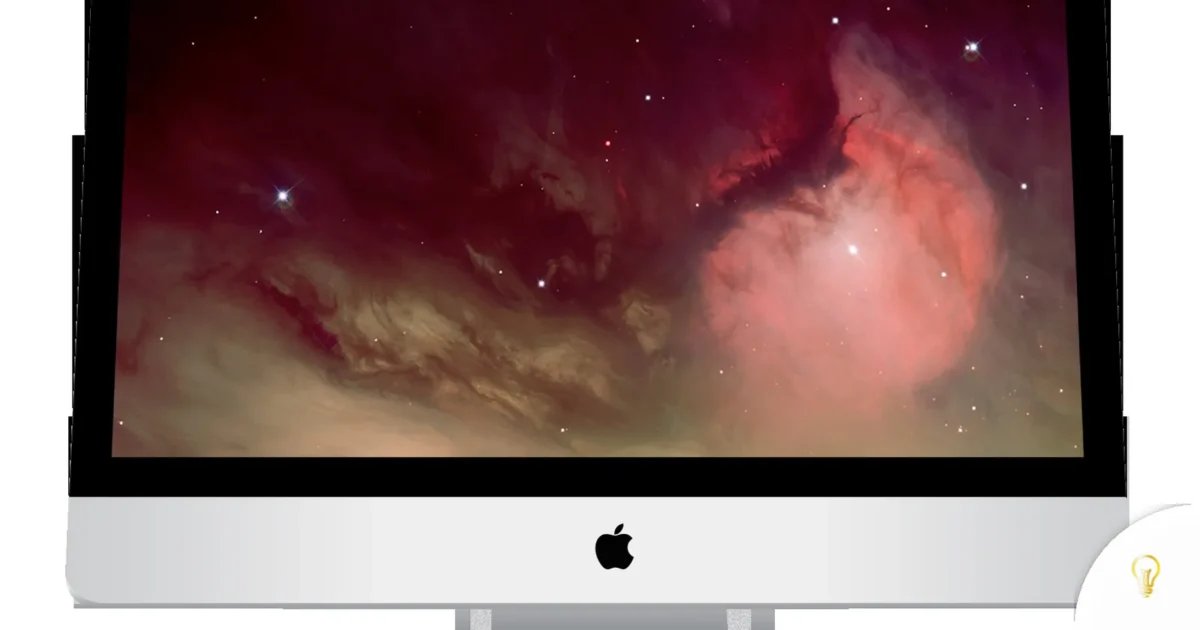
Apple has added its M6 chip to the 14-inch MacBook Pro and the iMac, and it kept the same starting prices as the models they replace. That means you can get a faster machine for the money you had budgeted, if you order on the right date and pick the right configuration.
In Short
- The base 14-inch MacBook Pro with M6 starts at $1,999, the same starting price as the model it replaces, so the chip upgrade costs you nothing extra.
- Apple quotes up to 24 hours of battery life for the MacBook Pro, which matters if you work away from a wall socket all day.
- Pre-orders open on Wednesday, October 28, at 10:10 a.m. PT, and shipping is expected to start on November 6. The iMac starts at $1,499.
What Apple Changes for You
Apple refreshed two of its computers with the M6 chip and kept the designs the same, according to Tom’s Hardware. The 14-inch MacBook Pro runs the M6 with 12 CPU cores and 12 GPU cores, plus dual neural engines for on-device AI work. The iMac comes in seven colors with a 24-inch 4.5K Retina display, and you can choose a full chip or a cut-down version. TechRadar reports the M6 is Apple’s first 2nm chip and should be stronger for local AI processing in particular.
Pre-orders start on October 28 at 10:10 a.m. PT, shipping is expected to begin on November 6, and the base MacBook Pro is $1,999 while the iMac starts at $1,499. Education pricing is $1,899 for the laptop and $1,449 for the iMac, according to Tom’s Hardware. Apple’s UK prices are £1,999 and £1,499.
Hint 1: Order on October 28 Without Missing the Window
Both machines open for pre-order on Wednesday, October 28, at 10:10 a.m. PT, which is 1:10 p.m. ET, and shipping is expected to start on November 6. That is a short window between ordering and getting the machine, so the date you order is the date your upgrade really begins. Put the time in your calendar now rather than discovering the page later in the week. If you rely on one computer for work, plan the swap around that November 6 date.
Say you run a small design studio and your current laptop is your only machine. Ordering on October 28 keeps the new one arriving on schedule, so you can book a quiet day after November 6 to move your files across instead of doing it in a rush before a client deadline.
- Set a reminder for 10:10 a.m. PT on October 28 so you are at a screen when pre-orders open.
- Decide the storage and memory you want before that moment, because those choices slow an order down.
- Keep your payment details and delivery address saved in your Apple account, then confirm the estimated delivery date on the order page before you pay.
Hint 2: Stop Paying More Than Last Year’s Price
Apple held the starting prices where they were: $1,499 for the iMac and $1,999 for the MacBook Pro, as Tom’s Guide points out. Tom’s Guide notes that memory and component costs pushed Apple’s computing prices up earlier this year, so a new chip at the previous starting price is the part of this launch that protects your budget. You are being asked to pay the same figure for newer hardware, not a premium for the M6 name. That gives you a clear budget ceiling to plan around.
Picture a household that budgeted for a desktop months ago and assumed the new chip would cost more. The iMac staying at $1,499 means that plan still works, and the money you set aside covers the machine rather than a price bump.
- Write down your ceiling before you open the store page, using $1,499 for the iMac or $1,999 for the laptop as the base figure.
- Treat storage and memory upgrades as extras on top of that base price, and add them one at a time.
- Compare the final total in your basket with your ceiling before paying, so a series of small upgrades does not quietly push you past it.
Hint 3: Get the Education Discount on Both Machines
Tom’s Hardware reports education pricing of $1,899 for the 14-inch MacBook Pro and $1,449 for the iMac, below the standard starting prices. Students, teachers and staff who qualify through Apple’s education store can put a new M6 machine on a desk for less. Check your eligibility before ordering, since the lower figure is what Apple lists for education buyers. If you order through a campus store, ask which price they show at checkout.
For example, a postgraduate student replacing a five year old laptop could order the 14-inch MacBook Pro at the education price and spend the difference on storage instead. The machine is the same one everyone else is buying, with a lower starting figure.
- Check whether you qualify for Apple’s education store, using your school, college or university details.
- Compare the education price with your campus store’s offer on the same configuration before you commit.
- Order in the education store from the start rather than asking for the discount after the order is placed.
Order Early, Then Settle In
Place your order on October 28 with the delivery date confirmed, then keep your current machine running normally until November 6 so a shipping delay never leaves you without a computer. Set aside one afternoon during that first week to move your files and sign back into your accounts.
Hint 4: Pick the Right iMac Chip Before You Pay
The iMac comes with a choice: the 10-core CPU and 10-core GPU configuration at $1,499, or the full M6 chip at $1,699, according to Tom’s Hardware. Education pricing is $1,449 and $1,599 for the same two options. Choosing the 10-core configuration keeps the all-in-one at the lowest price Apple offers, while the full chip is there if your work leans on heavier tasks. Apple offers the iMac in seven colors with a 24-inch 4.5K Retina display, so this part of the decision comes down to the chip.
If you plan to order an iMac for a family desk used for writing, browsing and video calls, the 10-core configuration covers that at $1,499. Someone editing large photo libraries every day has a reason to look at the $1,699 option instead.
- Open the iMac page and note which configuration you are choosing before you add anything else.
- List the two or three tasks that take the longest on your current computer and check them against the two chip options.
- Do not upgrade the chip out of habit: if the 10-core model handles your day, the saved money is better spent on storage.
Hint 5: Get a Full Workday Out of One Charge
Apple quotes up to 24 hours of battery life for the MacBook Pro, according to Tom’s Guide. For anyone who works on trains, in classrooms or between meetings, that removes the scramble for a wall socket in the middle of the day. It also changes how you pack: a long day out no longer needs a charger in the bag. Tom’s Guide adds the sensible caveat that this sounds great if the machine actually lives up to it, so judge it on your own workload.
Say you are a field engineer who spends a day moving between sites with no reliable power. A laptop rated for up to 24 hours means you can take notes and run diagnostics all day and charge it once back at the hotel.
- On your first full day with the laptop, note the percentage left when you finish work rather than trusting the headline figure.
- Lower the screen brightness and close background apps you are not using to make the most of the battery.
- Keep a charger in your bag for heavy days anyway, and test a long trip at home before you rely on the rating away from a socket.
Hint 6: Make the M6 Do the AI Work Locally
The M6 in the MacBook Pro runs alongside dual neural engines for certain on-device AI workloads, according to Tom’s Hardware, and TechRadar describes the chip as Apple’s first 2nm part with a dual 16-core Neural Engine. In practice that means the AI features you use on the machine can be handled by the machine itself instead of waiting on a connection. For anyone who works on drafts, transcripts or image cleanup, keeping that work on your own device is both faster and more private. You do not need to configure anything special to benefit: just notice which apps already offer on-device features and lean on them.
For example, a journalist working on a train with patchy Wi-Fi can let the machine handle transcription and summarising in the app while the connection drops in and out. Local processing keeps that work moving when the network does not.
- Look through the apps you already use for an on-device or offline option in their settings.
- Try one task you would normally send to a web service and run it locally instead, then compare the time it takes.
- Plug in and let the machine idle while it finishes heavy jobs, since long AI tasks are the quickest way to drain a battery.
Quick Reference: What You Can Do Now
Here is what each of the main tasks needs, based on what Apple has announced.
| Task | How to do it now | What you need |
|---|---|---|
| Get the 14-inch MacBook Pro with M6 | Pre-order on October 28 at 10:10 a.m. PT, shipping expected from November 6 | $1,999, or $1,899 with education pricing |
| Get the iMac with M6 | Pre-order on October 28, choosing the 10-core or the full chip | $1,499 for 10-core, $1,699 for the full chip |
| Buy in the UK | Pre-order from October 28 at Apple’s UK prices | £1,999 for the laptop and £1,499 for the iMac |
| Run AI work on the device | Use apps with on-device features, powered by the M6 neural engines | The M6 MacBook Pro |
What to Watch Out For
The M6 Pro and M6 Max models are a separate story: Tom’s Guide says the more expensive MacBook Pro options are expected to run M5 Pro or M5 Max chips if the reports are true, so check the chip name on the configuration before you assume every new laptop has the same processor. A touchscreen OLED MacBook Pro has been reported with a predicted starting price of $2,999, but Tom’s Guide notes that is a predicted figure, not an announced one. Counterpoint Research’s David Naranjo told Tom’s Guide that OLED is being used as a way for PC makers to justify higher prices as memory and component costs go up. The M6 machines keep the same designs as before, so if a new look is what you are waiting for, none of this delivers it.
Check the Chip Name Every Time
Before you pay, read the chip listed on the configuration you selected, because the pricier MacBook Pro options are reported to use M5 Pro or M5 Max rather than the M6. If a faster single core is what you want, the M6 is the model to look at, according to Tom’s Guide.
Your Next Steps
- Note 10:10 a.m. PT on October 28 in your calendar and decide which configuration you want before the page opens.
- Check whether you qualify for education pricing, with $1,899 for the laptop and $1,449 for the iMac on the base configurations.
- Make a short list of the tasks that slow your current machine down, so the chip choice for the iMac or the laptop is based on real work.
- Watch Apple’s Pro and Tell event in Los Angeles on October 28 at 10 a.m. PT for the OLED touchscreen MacBook Pro that Tom’s Guide has been reporting on, and watch for reviews of the M6 battery life claim.
Related on Gets Hint: more tech news, how to clear your DNS cache.
Sources: Tom’s Hardware; TechRadar; Tom’s Guide.
FAQ: Apple M6 MacBook and iMac
Frequently Asked Questions
The base 14-inch MacBook Pro with M6 starts at $1,999, the same as the model it replaces. Tom’s Hardware reports education pricing at $1,899, and the UK price is £1,999. The iMac with M6 starts at $1,499, or $1,699 for the full chip.
Pre-orders open on Wednesday, October 28 at 10:10 a.m. PT, which is 1:10 p.m. ET. Apple expects shipping to start on November 6. There has been no announcement of an in-store date beyond those details.
It comes down to the work you do. Tom’s Guide says the M6 has faster single-core speeds, while the M5 Pro and M5 Max chips lead in data transfer and multitasking-heavy workloads. Tom’s Guide also reports that the M6 was tested in this year’s Mac mini and held up well under strenuous multitasking pressure.
Apple quotes up to 24 hours of battery life for the MacBook Pro, according to Tom’s Guide. Tom’s Guide adds that this sounds great if the machine actually lives up to it, so treat the figure as Apple’s rating rather than a guarantee. Your own mix of apps, screen brightness and AI work will decide what you actually get.
Yes. Tom’s Hardware reports education pricing of $1,449 for the iMac and $1,599 for the full chip version, below the standard $1,499 and $1,699. The 14-inch MacBook Pro with M6 drops to $1,899 from $1,999 on the same basis. Check your eligibility through Apple’s education store before you order.