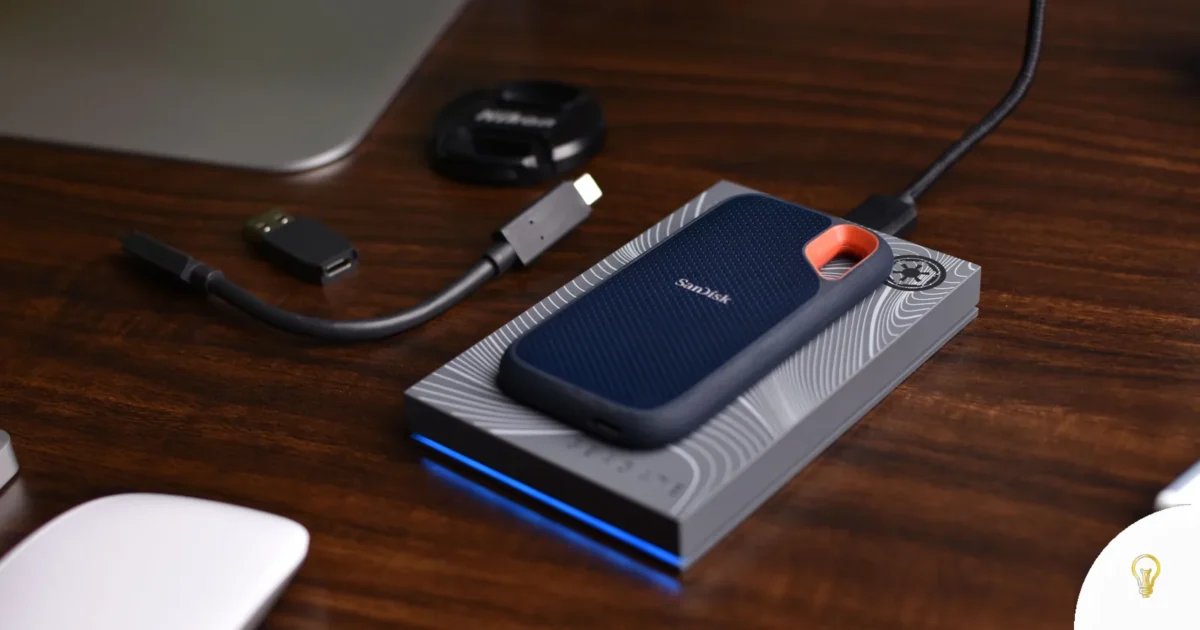
Black Friday pricing at Amazon has put the top-ranked Samsung T9 2TB portable SSD at $349.99, a drop of $170 from its $489.99 asking price. That puts a drive rated for 2,000MB/s read and 1,950MB/s write speeds within reach of editors, photographers and anyone who moves big files between machines.
In Short
- The Samsung T9 2TB portable SSD is $349.99 at Amazon, down from $489.99, a $170 saving.
- It runs over USB 3.2 Gen 2×2 with up to 2,000MB/s read and 1,950MB/s write speeds, plus Dynamic Thermal Guard and AES 256-bit hardware encryption.
- The package includes both USB-C and USB-A cables, Magician software support and a five-year limited warranty.
What Black Friday Changes for You
Amazon just knocked $170 off the asking price of the Samsung T9 2TB portable SSD, which means the drive is now $349.99 rather than $489.99. The 2TB T9 has sat around the $490 mark in the run up to Black Friday at a time of unpredictable memory prices, so the price cut brings it far below its typical pricing. TechRadar rated it four stars and placed it at number one in its guide to the best portable SSDs, calling it a great all-round performer that pushes the limits of the USB 3.2 Gen 2×2 standard. The saving works out to 29% off.
The offer is live at Amazon and applies to the 2TB model, the capacity TechRadar singles out as the strongest in the range. For $349.99 you get the drive, both cables, Magician software support and a five-year limited warranty. Amazon has not said how long the price stays, so the earlier you check, the better your chances.
Hint 1: Edit 4K and 8K Footage Off the Drive
The USB 3.2 Gen 2×2 connection lets you edit high-bitrate 4K or 8K footage directly off the drive without throttling. That means no half day spent copying cards to a laptop before you can start cutting, and no second drive needed to hold proxy files for a quick turnover job. For anyone who works on location, the edit starts as soon as the card is emptied onto the T9.
Say you shoot a two-day event and the client wants a cut before the weekend. You can plug the T9 straight into the editing machine, drop the footage on it and start trimming while the drive sits in your bag at the venue.
- Connect the T9 with the bundled USB-C to USB-C cable and confirm the editing app sees it as a media location.
- Copy footage onto the drive first, then import it into your editing project from that folder so everything links back to the T9.
- Keep a copy of the project file on the drive itself, so the edit, the media and the timeline travel together.
Hint 2: Run Everything From One Short Cable
The box includes both a USB-C to USB-C cable and a USB-C to USB-A cable. That covers a modern laptop, tablet or phone as well as an older desktop or hub that only has the rectangular USB-A port. You do not have to order a second cable before you can use the drive, and you can leave one cable at the desk and keep the other in your bag.
Picture a photographer who edits on a recent laptop at home but has to hand files over on an older office PC. One cable covers the laptop, the other covers the office machine, so nothing delays the handover.
- Use the USB-C to USB-C cable for the fastest connection available on your machine and plug it directly into a port, not a loose adapter.
- Keep the USB-C to USB-A cable in your bag as the backup for older machines and projectors with USB-A ports only.
- Label both cables and check that any hub you use supports the speeds you paid for before you blame the drive.
Hint 3: Protect Client Files With Hardware Encryption
The T9 carries AES 256-bit hardware encryption, which keeps work files secure if the drive ever goes missing. For freelancers and small teams, that is the difference between a lost drive being an inconvenience and being a client call you never want to make. Encryption also helps when you hand a drive to a colleague at a shoot or send it by courier, because the contents stay locked to whoever holds the password.
For example, a video editor leaves a bag with the drive on a train and it never comes back. If the footage was encrypted, the person who finds it has a paperweight, not an unfinished client project.
- Set up the password protection when you first format the drive, before any client work lands on it.
- Store the password somewhere separate from the drive, such as a trusted password manager rather than a note in the same bag.
- Test the password on a second machine before a shoot, so you know it works before the drive leaves your desk.
Check Your Port Before You Buy
If your device does not support USB 3.2 Gen 2×2, your read and write speeds will be capped at the 10Gbps limit of around 1,000MB/s. Look up your laptop’s port specs first, so you know whether the T9 is giving you its full speed or simply a very fast drive at a good price.
Hint 4: Carry It Anywhere Without Worrying
The T9 is credit card-sized and weighs 122 grams, and it comes with 3-meter drop protection. That means it can live in a jacket pocket or a laptop sleeve instead of a padded case, and a knock off a table does not end the working day. For students, commuters and anyone who moves between offices, that durability matters more than any benchmark.
If you split your week between a campus lab and a shared desk at home, the T9 can travel in the same pocket as your phone and still hold everything you need to carry.
- Keep the drive in a zipped pocket or a dedicated sleeve slot rather than loose in a bag with keys and cables.
- Use the bundled cable’s short run as a cue to sit the drive flat on the desk, so it is not hanging from the port.
- Unplug it safely before you pack up, since a drive that is still writing when you pull the cable is the most common way people lose files.
Hint 5: Keep Speed Steady With Thermal Guard
Dynamic Thermal Guard heat management is built into the T9 to look after the drive as it works. Long transfers and hours of editing put steady load on a small enclosure, and heat management is there to keep that load from becoming a problem. In practice, it is the feature that makes a pocket-sized drive sensible for full working days rather than quick copies.
Say you spend a Saturday backing up a year of family footage onto the drive in one long run. Give the drive air instead of stacking it under a pile of papers, and the work finishes in one go rather than in short bursts.
- Set the drive on a hard, open surface while you run long transfers, rather than on a bed, carpet or closed laptop lid.
- Split very large archive jobs into a few sessions so you can check each batch before moving on.
- Do not seal the drive in a tight pouch while it is working, since trapped warmth is the easy mistake to avoid.
Hint 6: Manage the Drive With Samsung Magician
The T9 supports Samsung’s Magician software, which gives you one place to check the drive and keep it in shape. Checking drive health and confirming the firmware and settings are current takes a couple of minutes and saves a nasty surprise on a deadline day. Paired with the five-year limited warranty, it also gives you a clear record of how the drive has been used if you ever need support.
Picture a small studio that hands the same drive between two editors. A quick Magician check at the start of each week shows both of them that the drive is healthy before a busy shoot begins.
- Install Samsung Magician on the computer you use most and let it detect the T9.
- Look through the status and health information on a schedule, for instance the first Monday of each month.
- Keep the original receipt with your five-year limited warranty details, since support will ask for proof of purchase.
Quick Reference: What You Can Do Now
Here is what each Black Friday option gives you and what it needs from your setup.
| Task | How to do it now | What you need |
|---|---|---|
| Edit 4K or 8K footage straight from a pocket drive | Use the T9 over USB 3.2 Gen 2×2 and work from the files on the drive | $349.99 at Amazon for the 2TB model |
| Keep client files safe if the drive goes missing | Use the built-in AES 256-bit hardware encryption | The T9, which includes this encryption |
| Keep the drive in good shape over years of use | Check it with Samsung Magician | Magician installed plus proof of purchase for the five-year limited warranty |
| Type quietly while you game or study | Buy the Be Quiet Light Mount TKL or the full-size Light Mount | $95 for the TKL, $96 for the full-size model |
What to Watch Out For
The headline speed depends on your hardware: if your device does not support USB 3.2 Gen 2×2, read and write speeds will be capped at the 10Gbps limit of around 1,000MB/s. Amazon has not said how long the $349.99 price stays, so a later visit may show something different. At $349.99 it is still a serious spend, and the drive only pays off if you actually move large files. Be Quiet has not said how long the Light Mount prices last either, and the full-size model is advertised as the same price as the smaller one.
Confirm Your Ports and the Cart
Check your laptop’s specs for USB 3.2 Gen 2×2 before you count on the full 2,000MB/s, and confirm the price in your cart at checkout, since the listing may change after November 25, 2026.
Your Next Steps
- Check the Samsung T9 2TB listing at Amazon and confirm the $349.99 price before you order.
- Look up whether your computer’s USB-C port supports USB 3.2 Gen 2×2, so you know what speed to expect.
- Set up the hardware encryption and install Samsung Magician on your main machine on the first day.
- Watch the rest of the Black Friday ads 2026 for storage, keyboard and smartwatch price cuts over the coming days.
Related on Gets Hint: more tech news, how to clear your DNS cache.
FAQ: Black Friday tech deals
Frequently Asked Questions
Amazon has the Samsung T9 2TB portable SSD at $349.99, down from $489.99, which TechRadar rated four stars and ranked number one in its guide to the best portable SSDs. The drive includes both USB-C cables, Dynamic Thermal Guard, AES 256-bit hardware encryption and a five-year limited warranty. Be Quiet also cut its quiet mechanical keyboards, with the Light Mount TKL at $95 and the full-size model at $96.
It is worth a close look if you edit high-bitrate 4K or 8K footage or move large files between machines, because the USB 3.2 Gen 2×2 connection is rated for up to 2,000MB/s read and 1,950MB/s write speeds. It is also credit card-sized, weighs 122 grams and carries 3-meter drop protection. Keep in mind that the speed you see depends on whether your device supports USB 3.2 Gen 2×2.
Check whether your device has a USB 3.2 Gen 2×2 port, because without that standard your read and write speeds will be capped at the 10Gbps limit of around 1,000MB/s. Use the bundled USB-C to USB-C cable and plug the drive straight into the machine rather than a hub. If you only have USB-A, the included USB-C to USB-A cable still connects the drive.
The Be Quiet Light Mount TKL is down to $95 for Black Friday, a saving of $24, and it uses triple-layer dampening, pre-lubricated Silent switches and lubricated stabilizers to keep the noise down. The full-size Light Mount is also on sale, from $120 down to $96, and adds a numpad for switching between gaming and work. Both are mechanical boards with hot-swappable switches, RGB lighting and PBT keycaps.
Black Friday ads 2026 are worth watching closely, and the sales already live include the Samsung T9 2TB portable SSD at $349.99 at Amazon and the Be Quiet Light Mount keyboards at $95 and $96. More discounts are usually added as Black Friday gets closer. Check the ads pages and retailer listings regularly so you do not miss the models you want.