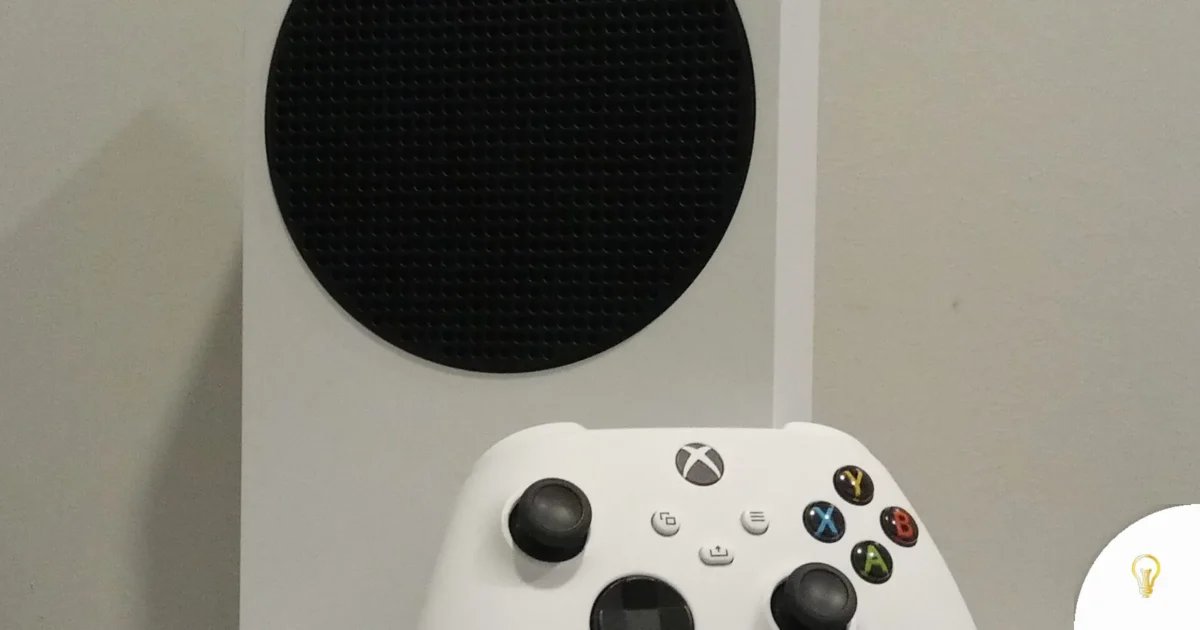
Katsuhiro Harada, the former Tekken director, told a developer panel that he wishes hardware like the Xbox Series S had never been released, while a senior Xbox official sat in the audience. The argument that followed is really a map of the console’s compromises, and once you know where they are, you can plan around every one of them.
In Short
- You can tell exactly where the console cuts corners: Harada said low memory is an issue and that the hardest part is a device so similar to the Series X while having awkwardly lower performance.
- The extra optimisation work studios do for the Series S also makes games run significantly better on PS5, high-end PCs and handhelds like the Steam Deck and ROG Ally, according to CD Projekt Red’s Pawel Sasko.
- Everyone who owns one, especially in markets like the US where Harada said there are more Series S users than Series X users, benefits from a console that studios cannot skip when they ship a big game.
What Xbox Series S Changes for You
At the Console Game Developers Conference 2026 in South Korea, Harada took the floor and said he wished hardware like the Xbox Series S would not be released, according to Inven Global’s account of the panel. He then asked CD Projekt Red associate game director Pawel Sasko, who worked on Cyberpunk 2077, whether he was upset inside because of the console. Sasko laughed and said it constantly throws challenges at the developers and forces them to optimise their code very cleanly. Harada replied that this was a very polite and elegant way of saying the console is a problem.
This was a panel discussion, not a policy change, so nothing about your console, your library or your downloads changes because of it. The console is still sold as a cheaper version that sacrifices some power to reduce cost, and Microsoft has not announced a price change or a successor to it. Talk of a next-gen “Helix S” came from Harada as a joke about what he worries Microsoft might do next.
Hint 1: Judge a Port Before You Buy It
The panel handed you a way to read a Series S release before you spend money on it. Harada’s complaint was never that games are bad on the console, it was that the device sits close to the Series X with awkwardly lower performance, so studios have to do a second round of optimisation on top of the first. The tells worth watching are the ones that show how much that second round cost: texture resolution, memory headroom and frame rate.
Say you are thinking about a big open-world game and you only own the cheaper console. Before you buy, watch footage of the Series S version on its own rather than the Series X trailer, and read the complaints Series S players post after launch, because those are the trade-offs you will actually live with.
- Search for gameplay of that specific game running on an Xbox Series S, not on a Series X.
- Look at how textures and draw distance hold up in busy areas, then compare the frame rate to the version running on a Series X.
- Wait for launch day impressions from Series S owners, since the differences often only show up in the first week of real play.
Hint 2: Know the Low Memory Limit Upfront
Harada named low memory as an issue and said it is the hardest part of the job, so treat memory as the number that decides what a Series S version can look like. When memory runs short, the things that go first are the details that make a world feel dense: sharper textures, more variety on screen and longer view distances. Knowing that lets you set expectations on the parts that cost memory, instead of blaming the game for being broken.
Picture a packed city street in a new release where the crowd thins out and shop fronts look flat next to the trailers. That is usually a memory decision rather than a lazy port, and Harada said Series S players tend to ask developers why texture resolution is lower only on their console.
- Read the graphics or performance section of a review that covers the Series S separately.
- Check whether the game offers a performance mode and a quality mode, then pick the one that matches how you play.
- Keep your console’s storage clear of clutter and close background apps before a long session, so the game has as much room to work with as possible.
Hint 3: Turn Developer Complaints Into Better Games
Sasko’s answer is the most useful part of the panel: optimising hard for a lower-spec machine makes the game run significantly better everywhere, including on PS5, high-end PCs, the Steam Deck and the ROG Ally. So when a studio says it spent time squeezing a game onto the Series S, that work is not wasted on you even if you never own one. You end up with a smoother game on whatever you play, because fixes made for the weakest system tend to travel upward.
For example, Sasko pointed to Cyberpunk 2077, where optimisation work done for the Switch 2 version was applied to all platforms to great effect. If you play that game on a PC or a handheld, you already benefited from work that started on weaker hardware.
- When a game you own gets a performance patch, read the notes for mentions of optimisation or memory work instead of skipping them.
- Update that game and give it one more session, since the changes may show up in crowded areas you already know.
- Do not skip a game because it was built to run on a Series S; the same effort is often why it holds up on a handheld.
Read Series S Owners, Not Trailers
The most honest picture of a Series S version comes from the questions Harada said those players ask after launch, like why texture resolution is lower only on the Series S. Look for that question when a game you want arrives, because it tells you the kind of trade-off the studio made.
Hint 4: Get the Same Games for a Lower Price
Sasko made the strongest case for the console you already have: its affordable price makes it accessible, and a cheaper version of the console sacrifices some power to reduce cost. That price is why the machine reaches people who would otherwise sit out a generation entirely. If budget is the limit, the Series S is the reason you can play the same new releases at all, and Sasko argued that the cheaper price also expands the market for the studios making them.
If you are buying for a second room, a student flat or a younger player, the cheaper console gets you into the same library without matching the price of a Series X. Put the difference towards a game or a second controller instead of more hardware.
- Write down the games you actually plan to play over the next few months before you compare consoles.
- Check that each of those games is available on the cheaper console, since the library is shared and the differences are in how the games look and run.
- Spend the money you save on a second controller or a game you will finish, rather than on hardware you will not notice.
Hint 5: Back the Console You Actually Own
Harada said studios cannot just cut corners because in markets like the US there are more Series S users than Series X users. That is leverage you hold as an owner: your console is not a niche device studios can quietly skip, it is the version most of their American audience plays. Buying and playing on the Series S keeps that number visible, which is what keeps the port on the schedule.
Say a studio you like is deciding how much time to give its next release on the cheaper console. Every player who buys it there and finishes it is part of the reason the next one gets the same attention, and Harada’s remark about the US market shows the audience is big enough to matter.
- Register your console and keep your account details up to date so your play time counts as normal use.
- Send feedback through the official Xbox feedback channels when a game misbehaves, and be specific about what you saw.
- Report the problem to the console maker as well as to the studio, since Harada’s complaint was that players take hardware limits to developers rather than to Microsoft.
Hint 6: Spend Like Someone on Weaker Hardware
The panel’s argument gives you a rule for spending: on weaker hardware, the money you do not put into power is money you can put into games. Sasko’s point about affordability and market expansion is exactly this, and it is the reason the cheaper console keeps getting supported. Being deliberate about which version you buy, and which extras you skip, lets you keep playing new releases without chasing the most expensive box.
Picture a household that wants one console for the living room and another for a bedroom. Buying the cheaper console for the second screen leaves budget for the games, which is exactly the trade Sasko described when he said the affordable price makes the console accessible.
- Decide which room gets the more powerful console and which gets the cheaper one before you buy anything.
- Compare what each game costs you across the two screens, then buy the version you will finish first.
- Do not add extras you will not notice; put the difference into the games themselves.
Quick Reference: What You Can Do Now
Here is how to deal with the console’s known compromises, using what the panel said.
| Task | How to do it now | What you need |
|---|---|---|
| Pick a game that will look good on your console | Watch gameplay recorded on a Series S and check texture resolution and frame rate | A Series S version of the game |
| Get into the same library for less money | Buy the cheaper version that sacrifices some power to reduce cost | The Series S console |
| Get a smoother game on a strong PC or handheld | Benefit from the optimisation studios do for lower-spec hardware | A game that was optimised for the Series S |
| Raise a problem with a game’s visuals | Take it to the console maker rather than only the studio, the point Harada raised | Not stated |
What to Watch Out For
Nothing on the panel changed what the console can do. Harada’s criticism was about the work a port demands, and he said himself that sacrifices must be made because of hardware limitations, so the gap in texture resolution and frame rate stays. Microsoft has not announced a price change for the console, and the talk of a next-gen Helix S was his joke about a machine that has not been announced. Reporting on the Xbox Helix consoles says they look expensive because of bloated costs for RAM and other components, which leaves the future of a cheaper companion console an open question.
Ports Are Judged One by One
Do not assume every release on the cheaper console behaves the same way, because how a game handles its memory limit is decided by the studio that made it. Check the specific game you are buying rather than the whole library.
Your Next Steps
- Look up three games you want and find footage of each running on an Xbox Series S.
- Read what Series S owners say about textures and frame rates in the days after a big release.
- If budget is your limit, price the cheaper console first and put the difference into games you will actually finish.
- Watch for news about the next-gen Xbox Helix consoles, and whether Microsoft ever says anything about a cheaper version of them.
Related on Gets Hint: our latest gaming coverage, everything we know about GTA 6.
FAQ: Xbox Series S
Frequently Asked Questions
The Xbox Series S is a cheaper version of the Xbox console that sacrifices some power to reduce cost, and its affordable price is what makes it accessible to more players, according to CD Projekt Red’s Pawel Sasko. Katsuhiro Harada described it as a device so similar to the Series X while having awkwardly lower performance, with low memory as an issue. Microsoft has not announced a price change for it.
The case for it is mostly about price and access: Sasko said its affordable price makes it accessible and that the cheaper price allows for market expansion. The trade-off is that games are optimised around lower memory and awkwardly lower performance, which can show up as lower texture resolution. It is still the console many people play on, since Harada said there are more Series S users than Series X users in markets like the US.
Harada called them very similar devices with one important difference: the Series S has low memory and awkwardly lower performance. Because they are so alike, studios have to do an extra round of optimisation for the cheaper console after finishing the version for the Series X. He said that feels like having to do extra work for a slightly weaker child.
Sasko argued the opposite: optimising hard for lower-spec platforms makes a game run significantly better on everything else, including PS5, high-end PCs and handhelds like the Steam Deck and ROG Ally. He pointed to Cyberpunk 2077, where work done for the Switch 2 version was applied to all platforms to great effect. Harada’s complaint is about the extra work the port demands, not about the other versions getting worse.
Nothing has been announced. Harada joked that he worries Microsoft will feel reassured and release a successor like “Helix S” for the next-gen Xbox, but that was a joke at a panel rather than a product plan. Reporting on the Xbox Helix consoles says they look expensive in the current hardware market, so whether a cheaper version follows is still open.