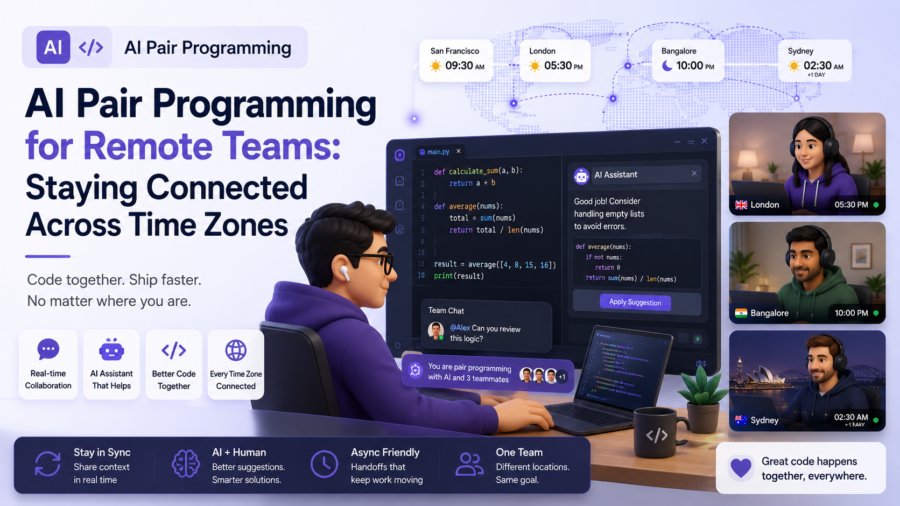
Remote development teams face challenges that co-located teams never have to think about. Time zone gaps mean that a junior developer in London may not get answers from a senior in San Francisco until the next morning. Onboarding a new team member across continents means weeks of asynchronous communication before they feel comfortable making changes. Knowledge transfer happens through written documentation rather than hallway conversations, and code review cycles stretch across days instead of hours.
AI pair programming tools address many of these challenges directly. They provide an always-available coding partner that understands project context, suggests implementation approaches in real time, and helps bridge the gap between developers working on different schedules. This guide covers practical strategies for remote teams that want to use AI pair programming effectively across time zones and cultures. For a broader overview of AI pair programming best practices, see AI pair programming best practices.
- Use AI for async knowledge transfer between time zone shifts
- Standardize prompts so AI output is consistent across team members
- Pair AI sessions with human review to maintain code quality
- Document AI-assisted solutions as a shared learning resource
- Measure impact per region to ensure all team members benefit equally
The Unique Challenges Remote Teams Face
Before exploring how AI pair programming helps, it helps to understand the specific problems remote teams face in their day-to-day work. These challenges are not simply inconveniences. They affect shipping velocity, code quality, and team morale in measurable ways.
The Time Zone Synchronization Problem
When team members are spread across multiple time zones, the window for synchronous collaboration can be as short as one or two hours per day. A developer in New York starting their day sends a question to their counterpart in Berlin. By the time the Berlin developer replies, the New York developer is wrapping up for the day. The response sits unread until the next morning. Across the Pacific, the gap stretches to a full day. This pattern means that simple clarifications that would take two minutes in a co-located office instead become 24-hour cycles of async messages.
The Onboarding Gap
New remote hires do not have the luxury of watching how experienced team members work. They cannot sit next to someone and observe their debugging process, watch how they structure database queries, or absorb unwritten conventions from overheard conversations. Instead, they receive a documentation folder and a Slack channel, then are expected to ship code on their own within a few weeks. The ramp-up period for remote developers is typically 30 to 50 percent longer than for co-located developers on the same team.
Knowledge Silos and Tribal Knowledge
Every codebase has knowledge that lives in people rather than documents. One developer knows why a particular API was designed a certain way. Another knows which parts of the system are most fragile and which are stable. In a co-located team, this knowledge spreads through informal conversations. In a remote team, it remains siloed until someone explicitly documents it. And documentation is rarely updated as the system evolves. AI pair programming tools can surface this knowledge by answering context-specific questions about the codebase directly, reducing the reliance on finding the right person to ask.
How AI Pair Programming Bridges Remote Gaps
AI pair programming tools serve several functions that directly address remote team challenges. They are not a complete substitute for human collaboration, but they reduce friction in areas where remote teams consistently struggle.
Asynchronous Problem Solving
AI pair programming operates on the developer’s schedule rather than requiring a human partner to be available. A developer who hits a bug at 9 PM in their local time can get help immediately instead of waiting until 9 AM in the time zone of their human pair programming partner. This does not just save time. It removes the frustration of context switching. The developer describes the problem, gets a suggestion, tries it, and either solves the problem or has a more focused question ready for the next synchronous interaction.
Consistent Knowledge Delivery
An AI assistant provides the same answer to the same question every time. If three different remote developers ask how to create a new API endpoint in the project’s preferred framework, they all receive the same pattern, the same error handling approach, and the same project-specific conventions. A human expert might give three slightly different answers depending on how the question was phrased and what they were working on at the time. Consistency from an AI tool makes the codebase more uniform, which reduces the cognitive load developers experience when reading code written by team members on other continents.
Lowering the Barrier for Stuck Developers
For a remote junior developer who gets stuck at 3 PM with no senior available until the next morning, the cost of that stuck period is high. Productivity halts during the time spent trying to solve a problem alone. Frustration builds. Confidence erodes. AI pair programming gives that developer a partner that can help them move forward immediately. The tool might not give the perfect answer on the first try, but it provides a direction. In many cases, that direction is enough to unblock development and keep momentum going through the rest of the workday.
Building an Effective Remote AI Pair Programming Workflow
Adopting AI pair programming across a remote team requires more than just installing a plugin. It requires establishing processes that make AI-assisted development consistent, reviewable, and inclusive across all team members regardless of their time zone or role.
Establish Team-Wide Prompt Guidelines
Prompt quality varies enormously between developers, and that variation is amplified in remote teams where there is no opportunity for informal knowledge sharing. A senior developer who has been using AI tools for months works with them very differently from a new hire who just installed their first AI extension. Creating team guidelines for how to structure prompts ensures that everyone gets useful output from the tool rather than inconsistent or low-quality suggestions. Guidelines should cover what context to include, how to request tests, and when to ask for explanations rather than just code.
Standardize the Review Process for AI-Generated Code
When developers in different time zones generate code with AI assistance, the code review process needs to account for the reviewer not having the same context as the author. Reviewers should check whether generated code follows project conventions, includes appropriate tests, and handles edge cases that the original author may not have considered. Code review checklists should include items specifically about AI-assisted work to ensure nothing falls through the cracks. For teams that want to dive deeper into workflow automation, building Claude Code custom commands and hooks can help standardize code quality checks across all contributors.
Use AI to Reduce Onboarding Time for New Remote Hires
AI pair programming is particularly valuable during onboarding. New hires can ask the AI assistant about project conventions, get help with their first set of tasks, and gradually build understanding of the codebase at their own pace. Instead of waiting for answers from busy senior developers, they get immediate, project-specific guidance. The AI does not replace the onboarding process, but it compresses the time between starting and contributing meaningfully. Some teams have reported cutting onboarding time by 25 to 35 percent by integrating AI pair programming into their new hire workflow.
Managing Code Cohesion Across Time Zones
One of the less discussed challenges of remote teams is maintaining a cohesive codebase when people are working at different times with different AI assistance. Without coordination, you can end up with a codebase where different modules were implemented with different patterns, different naming conventions, and different architectural assumptions. Proactive management prevents this fragmentation.
Create a Shared Conventions Document
A living document that covers naming conventions, error handling patterns, API design standards, and when to use specific libraries gives both human developers and AI assistants the same reference point. When the conventions document explicitly states, for example, that all API endpoints should return a standard response envelope, an AI assistant asked to build a new endpoint is more likely to follow that convention. Without the document, the AI will guess based on common patterns in its training data, which may or may not match what your team expects.
Rotate Code Ownership to Prevent Drift
Code ownership that is too rigid can make AI-assisted development less effective. If one developer is the sole expert on a specific module, no one else can effectively use AI to make changes to that module. Rotating code ownership, even informally, means that more team members develop context about different parts of the system. That broader context makes AI pair programming more effective for everyone because the AI can draw on a wider range of contextual information entered by different team members.
Measuring Whether AI Pair Programming Helps Your Remote Team
Teams adopting AI pair programming for remote work should measure whether it is actually helping. The metrics differ somewhat from those used by co-located teams because remote teams face different baseline challenges. Look at task completion time for remote-specific scenarios, the time new hires take to first meaningful commit, and the volume of async clarification messages exchanged before and after adopting AI tools. These metrics tell you whether AI pair programming is addressing the specific problems that make remote development harder.
For a comprehensive framework for measuring AI pair programming impact, our guide on measuring the ROI of AI pair programming covers the metrics and analysis approach that will help you make data-driven decisions about expanding or adjusting your AI tooling investment.
FAQs
Frequently Asked Questions
How does AI pair programming help remote developers across time zones?
AI pair programming helps remote developers by providing always-available assistance that operates on their local schedule. A developer who encounters a problem at 9 PM does not need to wait until a team member in another time zone wakes up. The AI assistant can provide suggestions, code examples, and explanations immediately, reducing the frustration of being stuck during off-hours for other team members.
Can AI pair programming replace synchronous pairing sessions for remote teams?
Not completely. AI pair programming is excellent for individual deep work and asynchronous problem solving, but synchronous pairing has value for complex design discussions, knowledge transfer, and team bonding. The most effective remote teams use AI for solo development work and reserve synchronous sessions for planning, code reviews, and architectural discussions.
What should remote teams document about their AI pair programming workflows?
Remote teams should document their prompt guidelines, review standards for AI-generated code, escalation paths for when the AI is struggling, and which tasks are approved for AI assistance versus requiring human review. This documentation should live in a shared, easily discoverable location and should be updated as the team’s usage of AI tools evolves.
How do you measure the impact of AI pair programming on remote team velocity?
Track task completion time, cycle time from commit to merge, the ratio of async clarification messages before and after adoption, and new hire time-to-productivity. Remote teams should also survey team members about their experience working across time zones, as qualitative data about frustration levels and perceived support quality can be as informative as quantitative metrics.
Does AI pair programming reduce the need for documentation in remote teams?
Actually, the opposite is true. AI pair programming works better with more context, so teams need better documentation, not less. A shared conventions document, clear API documentation, and an onboarding guide make AI tools more effective for every team member. AI can help generate and maintain that documentation, but it does not replace the need for a team to think carefully about what should be documented and why.
Are there security concerns specific to AI pair programming in remote teams?
Yes. Remote teams often rely on cloud-hosted AI services, which means potentially sending proprietary code to external APIs. Teams should review their AI provider’s data handling policies, avoid sending sensitive logic or credentials through AI assistants, and establish policies about what types of code can be submitted to cloud AI services. For more on securing AI-assisted development workflows, see our guide on securing MCP servers with Claude Code.